Hours you cannot check.
A signature on paper says someone was there. It does not say where they were, or who really signed.
Staff clock in on their own phone, only when they are standing on your site, with a photo. Every clock goes onto a record that cannot be quietly changed.
From R6 per person a month. No hardware. Nothing to install.

No hardware to buy
Nothing to download from an app store
Your own address: yourcompany.clockingtime.co.za
IN ONE PARAGRAPH
Clocking Time is a staff clocking app for South African employers. Staff clock in and out on their own phones, in the browser, with nothing to install. A clock is accepted only when the phone is inside the radius you set around a work site, and each clock takes a photo, so you know the right person was in the right place. Directors see who is at work on a live board, approve leave and download timesheets for payroll. Every clock is added to a record that cannot be edited or deleted; a correction is a new entry with a reason. Location is read only at the moment a staff member presses a button, and each person's consent is recorded first. It costs R8 per employee per month, or R300 a month for up to 50 employees and R700 a month for up to 100, with no hardware to buy.
WHY COMPANIES GET IT
The register gets filled in on Friday from memory. A friend signs for a friend. The clock machine is at one door and half your people start on a site across town. Then a wage dispute arrives, and it is your word against theirs.
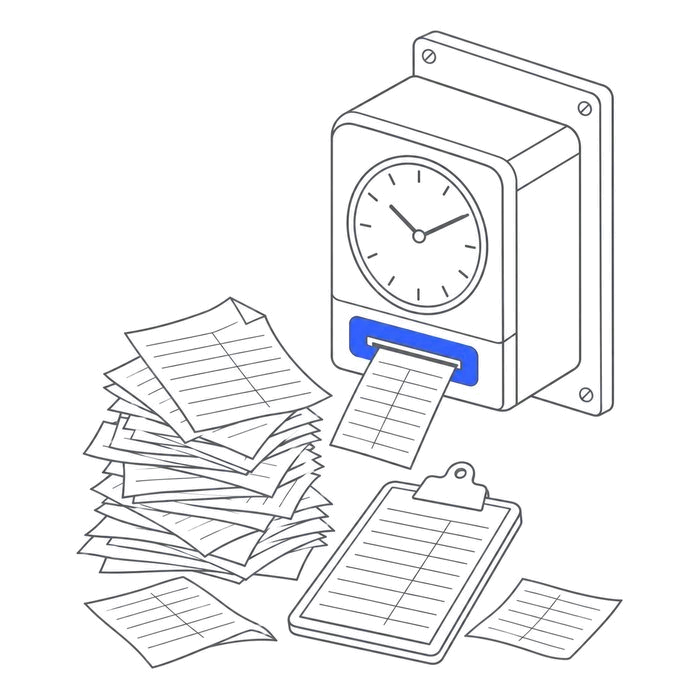
A signature on paper says someone was there. It does not say where they were, or who really signed.
To know who arrived this morning you phone a supervisor, who phones someone else.
When an hour is questioned months later, a paper register that anyone could have altered is weak evidence.
Clocking Time replaces all three with one record that everyone can trust, including your staff.
THE DETAILS THAT MATTER

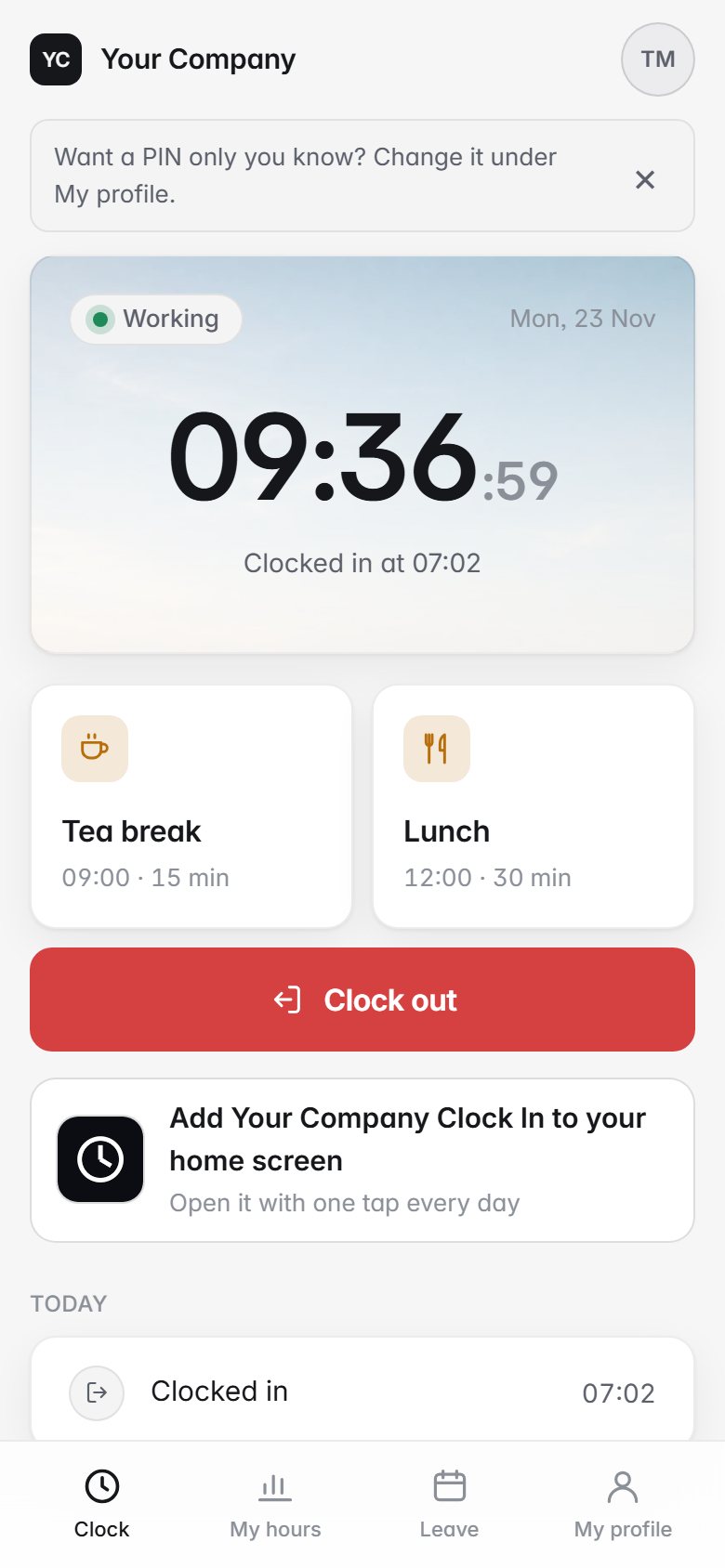
A clock in works only inside the radius you set around each site. Outside it, the phone is told why and nothing is recorded as worked time.

Each clock in and clock out takes a photo, so the person clocking is the person on the roster.

Staff start and end tea and lunch breaks on the same screen, and send leave requests that a director approves or declines.

Every clock is added to a chained record. A correction is a new entry with a reason, never a change to the old one.
THE DIFFERENCE
| The question | With Clocking Time | Without it |
|---|---|---|
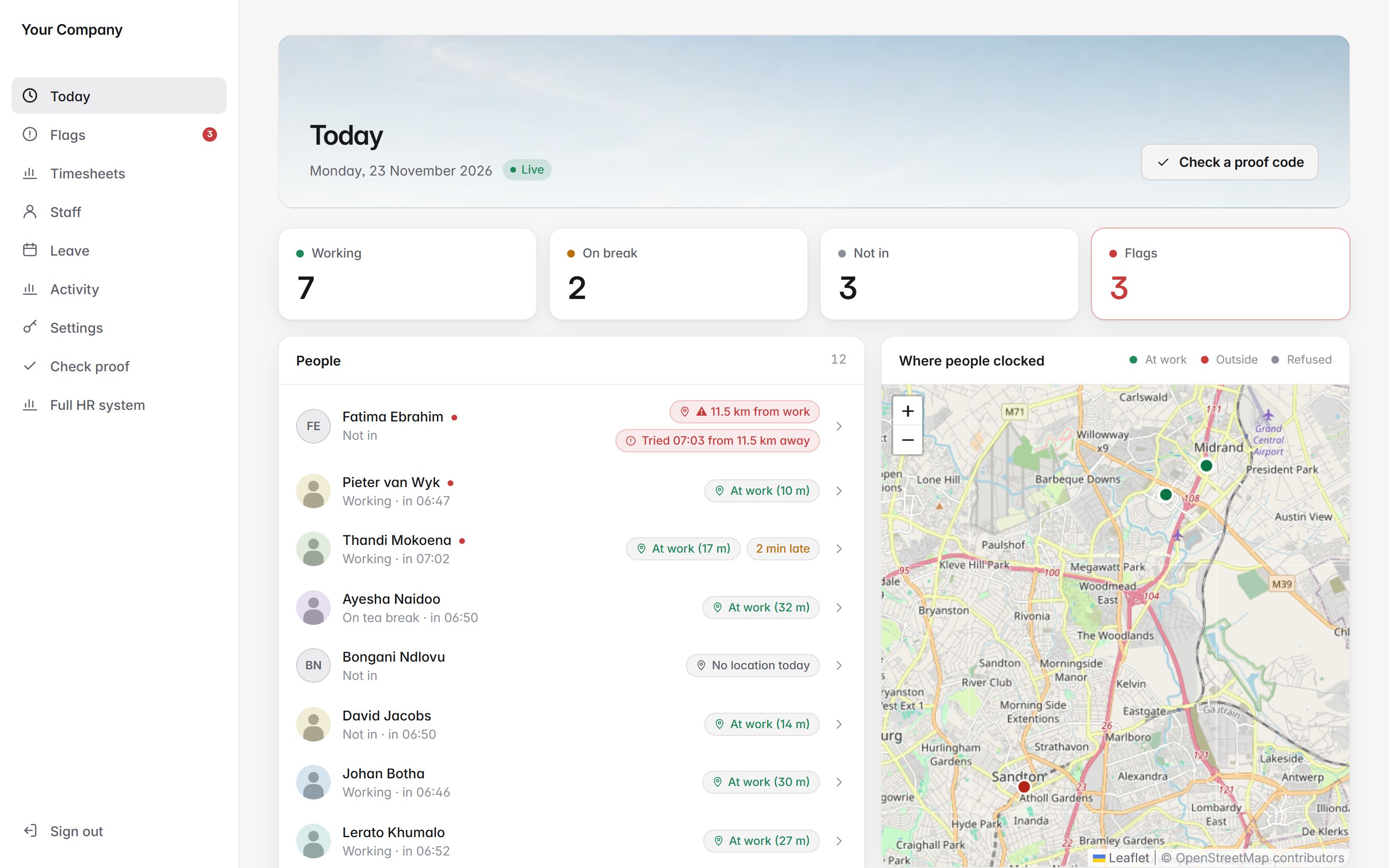
| Who is on site right now? | One board shows who is in, who is on a break and who has not arrived. | Phone calls and WhatsApp messages to supervisors. |
| Was this person really there? | The clock only works inside the site radius, and it takes a photo. | A signature or a tick on a register. |
| Did someone clock for a friend? | Every clock has a photo of the person who made it. | You find out when someone tells you, if they do. |
| How many hours do we pay? | Timesheets per pay cycle, downloaded as a spreadsheet. | Someone types hours from paper, and the mistakes go to payroll. |
| An hour is disputed. What now? | One PDF per person with every clock, photo and correction. | Your word against theirs. |
Five of the ten questions. The left-hand column is one product, at R6 to R8 per person a month.
FROM YOUR FIRST DAY

You get your own address, your logo and your sites, each with its own radius.

They open the link on their phone, choose a PIN and save Clocking Time to the home screen. You approve who joins, or import everyone from an Excel sheet.

The board shows who is in, who is on a break and who has not arrived, as it happens.
NO GUESSWORK
CONSENT AND PRIVACY
Keeping a record of the time your staff work is your duty as an employer. How you keep it is where companies get into trouble. Clocking Time records what payroll needs and nothing more.
Location is read only at the moment a staff member presses Clock in or Clock out, never in the background.
Each staff member's consent is recorded before their first clock.
PINs are stored scrambled and cannot be read by anyone.
Old clock data is removed after the period you set.
Too many wrong tries locks sign-in until a director unlocks it.
Every company runs apart from the others, behind Cloudflare, with rate limiting on sign-in.

R6 to R8 per person, per month. One hour paid in error costs more than that.
CLEAR FROM THE START
Clocking Time is R8 per employee per month. A team of up to 50 employees is R300 a month, and a team of up to 100 employees is R700 a month. The slider shows the lower price for your team.
Your price for 50 employees
R300per month
That is R6.00 per employee. You save R100 a month on the per-employee price.
More than 100 employees? Tell us how many and we will send a price.
QUESTIONS
No. Clocking Time opens in the phone's browser and can be saved to the home screen like an app. There is nothing to download from an app store.
No. Location is read only when a staff member presses Clock in or Clock out. It is never read in the background.
The clock is refused, the phone tells them why, and the refused attempt is shown to a director.
Each person signs in with their own employee number and PIN, and the photo taken with each clock shows who made it.
Ask for a demo and we will show you the staff screen, the board, timesheets and a proof pack, on a demo company.